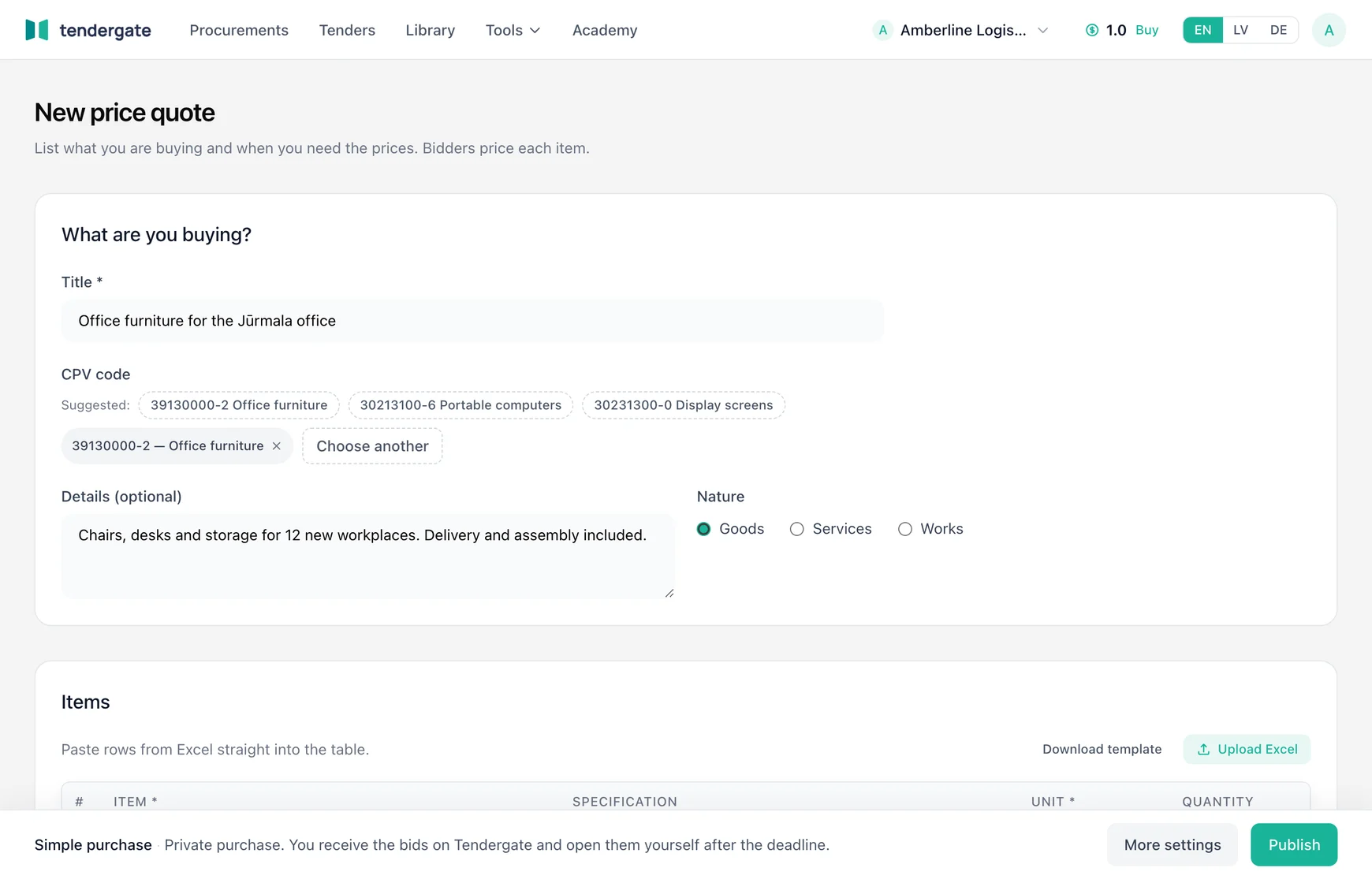
A price quote on one screen
Title, items, deadline, publish. Paste the items from Excel or upload the template. Bidders price each item, so the offers line up row by row.
Publish a price quote or a full tender from your workspace and invite companies to bid. By default, bids are encrypted on the bidder's computer and stay sealed until the deadline. Then your openers open them, and you compare prices and award in the same place.
Publishing and bidding are free. AI actions, such as bid analysis, use credits.
The buyer and the bidders work on the same tender. Bids are sealed by default: before the deadline the buyer sees none, not even how many. After it, the openers open them all at once.
Everything from the notice to the award decision, recorded as you go.
Title, items, deadline, publish. Paste the items from Excel or upload the template. Bidders price each item, so the offers line up row by row.
Publish a procurement you drafted in Tendergate, with its documents, lots, required documents, price form and opening order.
Say who is paying and the estimated value. Tendergate applies the matching rules: the minimum deadline, how many openers, and what is published after the award.
Public tenders appear in the Tendergate tender catalogue, and companies with a matching profile are notified. Invite others by email: everyone gets the same message and link.
Bidders ask through the tender, and you publish one answer for everyone. Amendments are numbered, dated and published to every bidder.
Paste one snippet into your own website. It lists your published tenders with status and deadline and updates by itself, without cookies or tracking.
Sealed submission
Sealed bids are encrypted before they leave the bidder's computer. The keys sit in a separate sealing service, and the Tendergate app that runs your workspace has no way to decrypt them.
In a sealed tender, each file and the price list is encrypted on the bidder's computer, with a new key for every file. Our servers store only encrypted data.
Keys and sealed bids live in a separate service with its own database. The Tendergate app holds no key and has no code that can decrypt a bid.
A bid counts when the sealing service records it before the deadline. Later bids are refused, and the time goes into the receipt.
After the deadline, your openers approve the opening with their own opening key. One opener for a simple purchase, two together for a regulated procedure.
Every bidder in a sealed tender gets a signed receipt they can check on a public page. Each submission and opening is written to a signed log that cannot be edited.
Tendergate operates the sealing service and holds its keys. Every opening through the app needs your openers and is signed. The full description, limits included, is public.
How sealed submission worksFor bidders
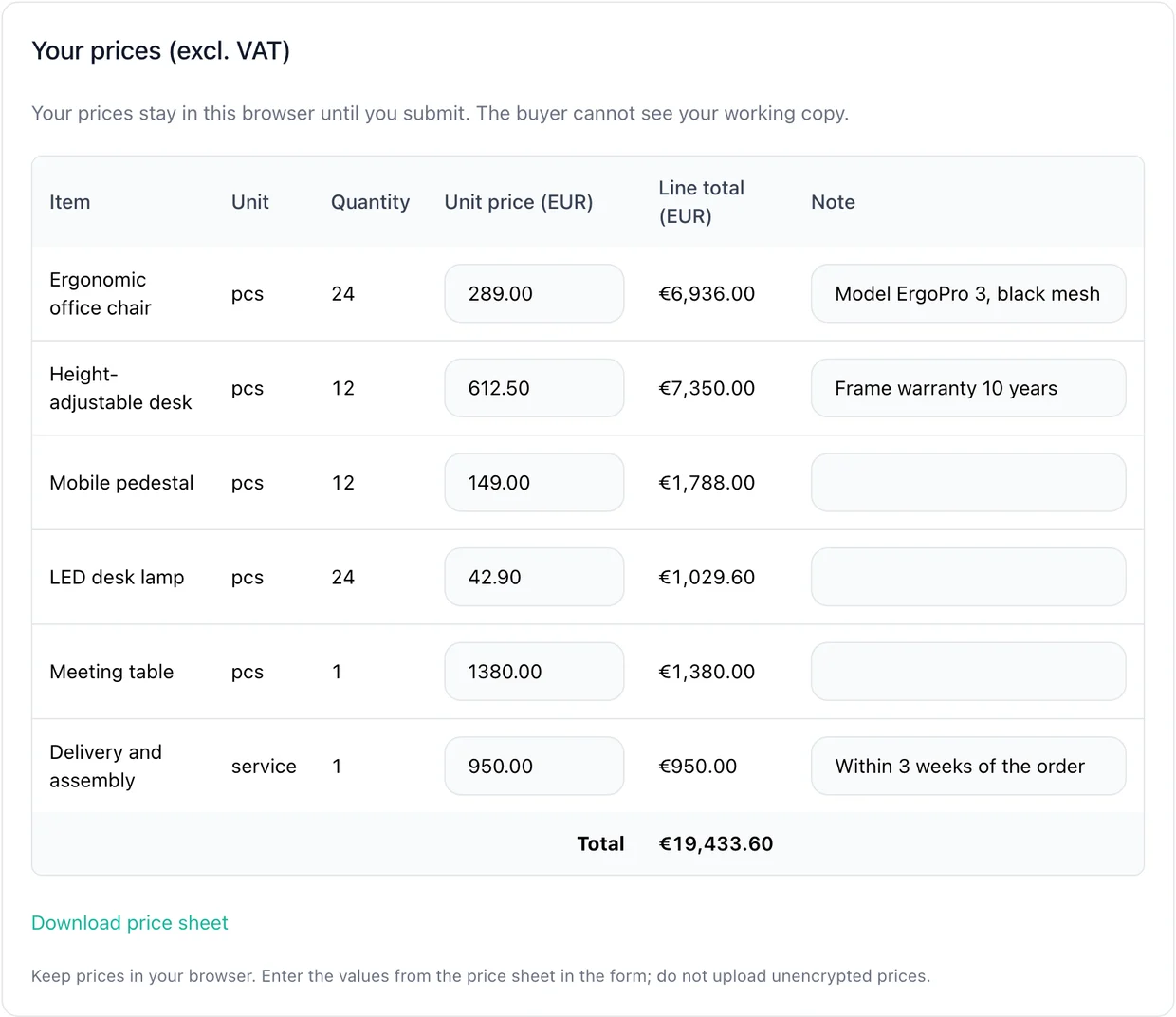
Bidders read the tender without an account. To bid, they sign in with a work email, add the company's registration number, enter prices and attach files. In a sealed tender, prices stay in their browser until they submit.
Proof of submission
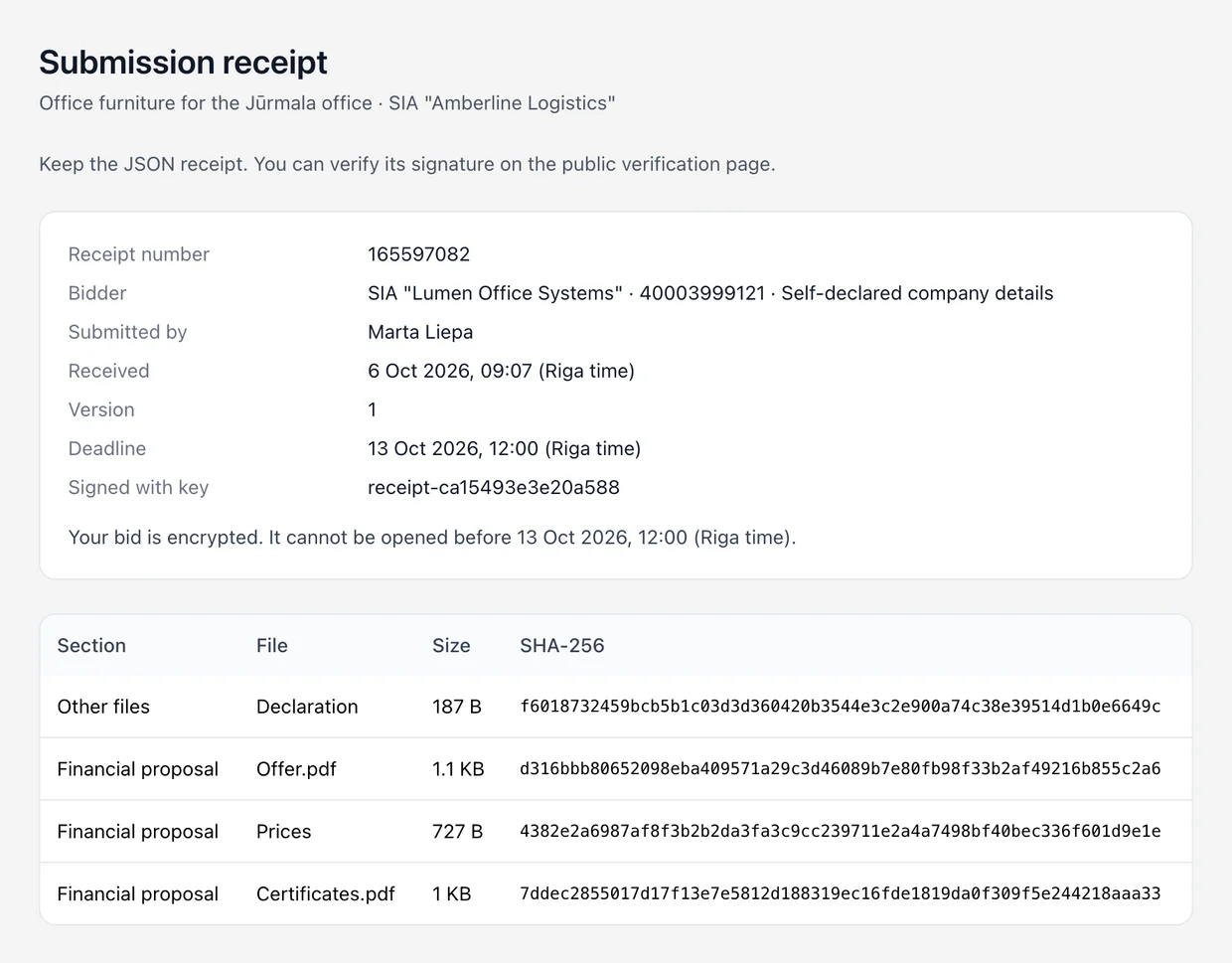
Every sealed bid gets a receipt with its number, the time from the sealing service's clock, the deadline and a SHA-256 fingerprint of every file. It is signed, so anyone can check that it is genuine.
Opening
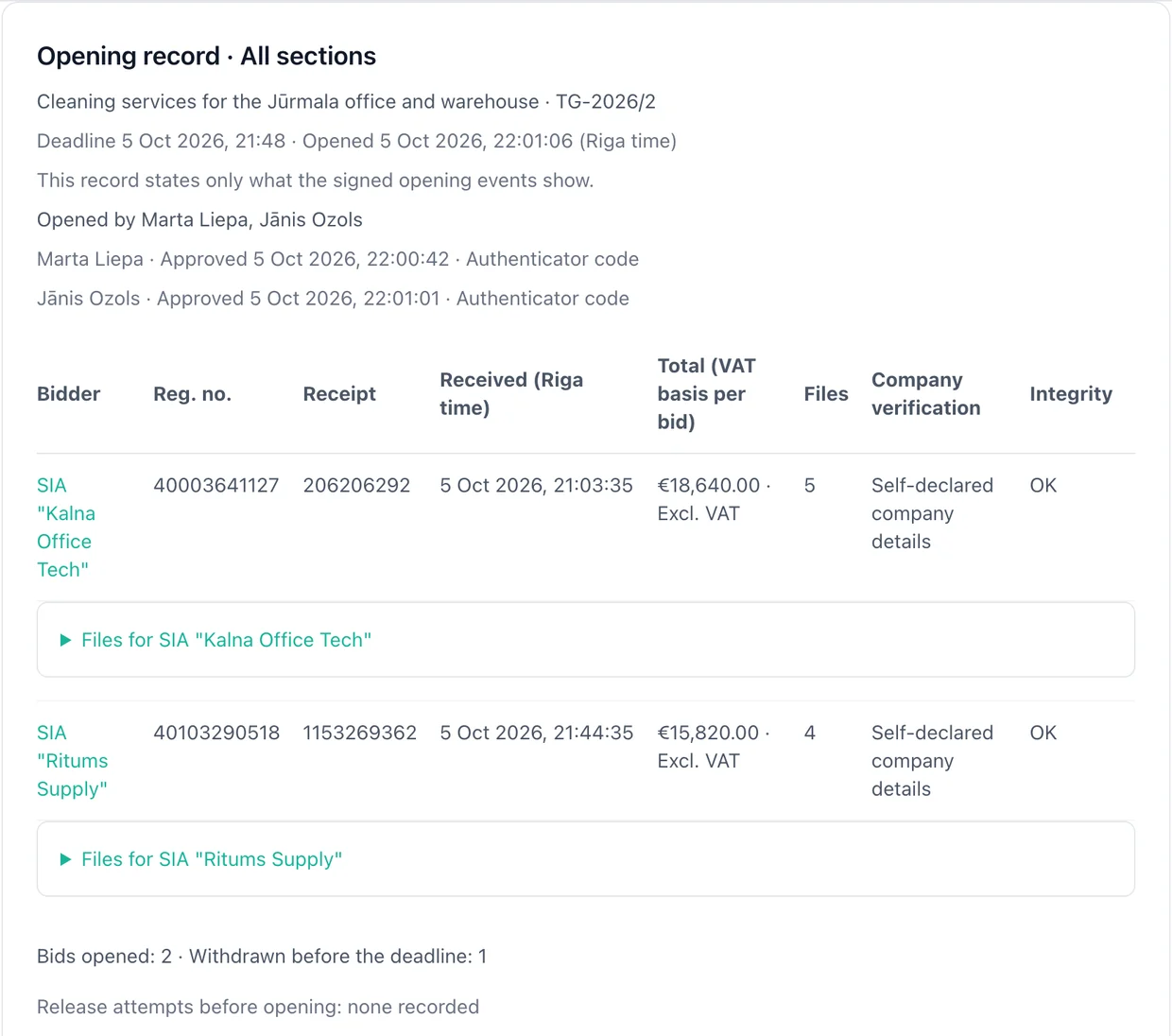
When the deadline passes, your openers approve the opening on the sealing service with their own opening key. All bids open at once and arrive in your workspace as ordinary bids.
Evaluation and award
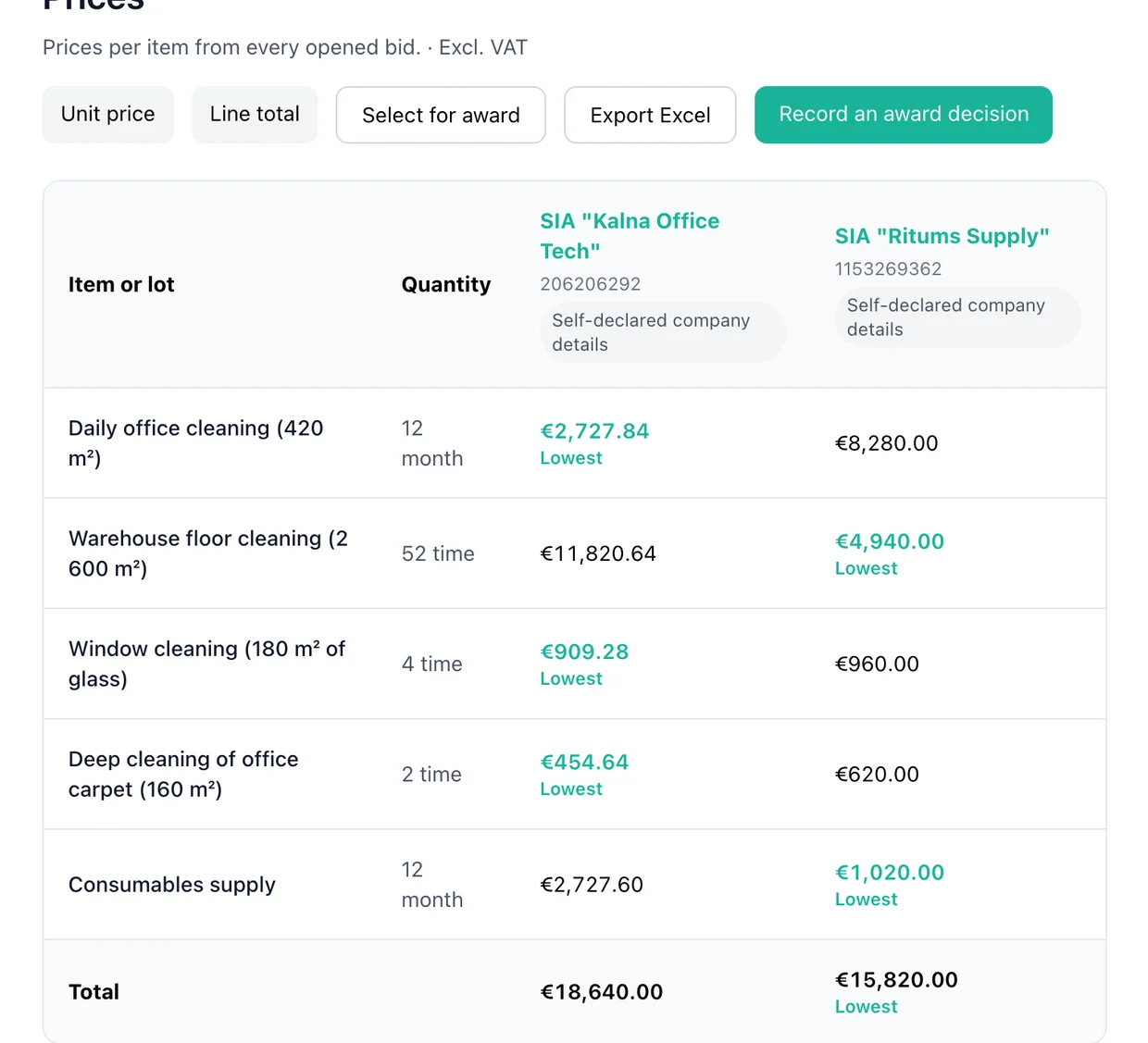
Opened prices land in a grid with the lowest price in each row marked. Award the whole tender, each lot or each item, and give every bidder the outcome with reasons.
An owner or admin turns on publishing in the organisation settings and links the organisation to its company. Bidders see the buyer's legal name.
Add the title, items and deadline. For sealed bids, set up your opening key once: a passkey or an authenticator app. Tendergate checks your first tender before it goes live.
The tender appears in the catalogue and on your website list. Invite companies by email, answer their questions, and open the bids after the deadline.
Publishing and bidding are free. AI actions, such as bid analysis on the opened bids, use credits as anywhere else in Tendergate.
Private purchases, purchases below the Public Procurement Law thresholds, and procurements by funding recipients under Cabinet Regulation No. 104. Full Public Procurement Law procedures stay in EIS: Tendergate can list such a tender with a link to EIS. Rules and deadlines follow Latvian law.
Sealed until the deadline is the default, and regulated procedures are always sealed. For a private purchase you can choose open bids instead: you see each bid as it arrives, and bidders are told so before they bid.
The Tendergate app holds no key and has no code that can decrypt a bid. The keys are held by the separate sealing service, which Tendergate operates. An opening through the app needs your openers' approval after the deadline and is written to a signed log. Someone with direct access to the sealing service's keys could decrypt outside the app; the page How sealed submission works explains this limit.
If the service is unavailable for at least 120 minutes in the last 24 hours, or 10 minutes in the last four hours, before the deadline, the deadline moves by one working day and a service notice is published.
Not to read the tender or download its documents. To submit, a bidder signs in with a work email and adds the company's registration number. It is free.
Tendergate checks your organisation's company details and its first tender before the tender goes live. Bidders see the buyer's legal name on the tender page.
Publish it, receive sealed bids and award in one workspace. Free for buyers and bidders.
Publish a tender free